The "Additional Information" section allows Querier to collect information that allows it to:
- Complete Attachment Headers
- Fill Out Forms
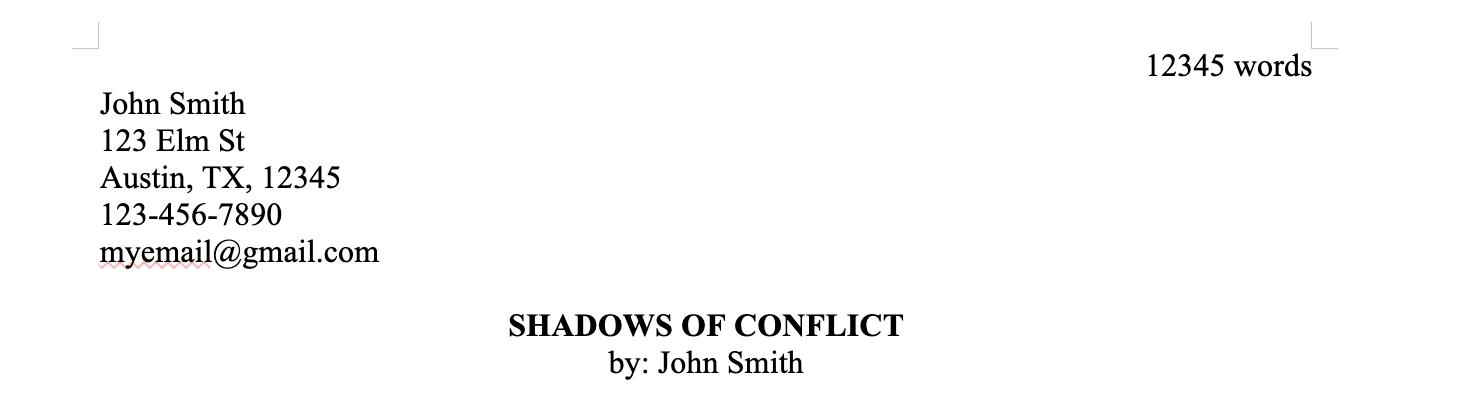
Attachment Headers
Agents often request your contact information, such as address and phone number. Querier will add this content in the header of each attachment, when provided.
Fill Out Forms
Agents often use forms rather than emails as a means of accepting queries, such as QueryTracker or custom forms on their website. These forms can be very short with only a few fields or longer with many fields.
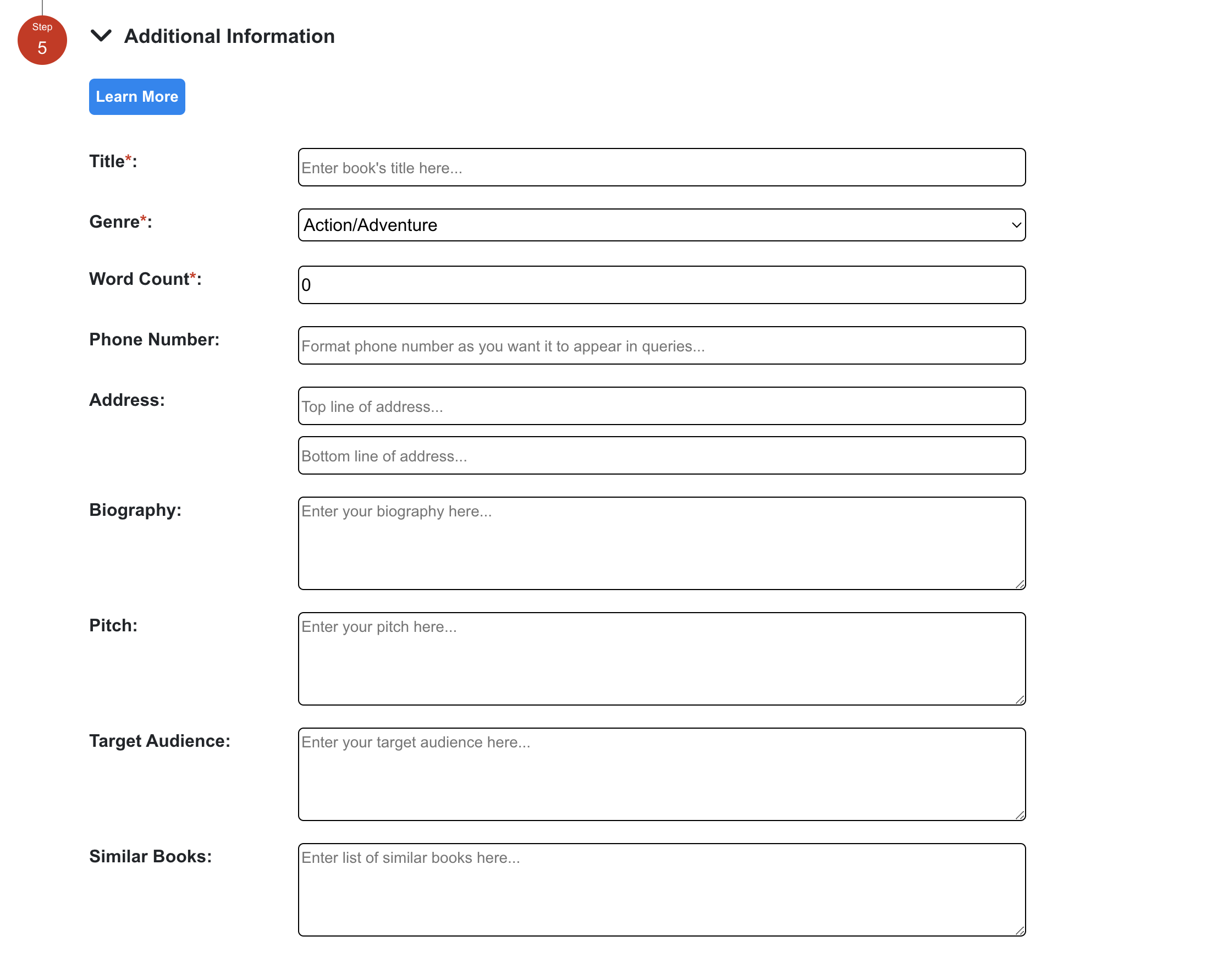
Querier helps you quick and easily fill out these forms. First, enter the information in the "Additional Information" fields. Then, retrieve this information from the "Add to Query" section when later creating actual queries.
How To Add Additional Information:
- Select the project from the sidebar
- Select "Query Template"
- Expand the "Additional Information" section
- Fill out each input (required fields, such as Title, Genre, Word Count, are denoted with a red asterisk)
- Click the "Submit Query Template" button at the bottom of the page to save your changes
Was this article helpful?
That’s Great!
Thank you for your feedback
Sorry! We couldn't be helpful
Thank you for your feedback
Feedback sent
We appreciate your effort and will try to fix the article